
How do I send a letter of demand from Square?
- Connect Square. Sign in to SydneyCollect with your email, then approve read-only access in Square.
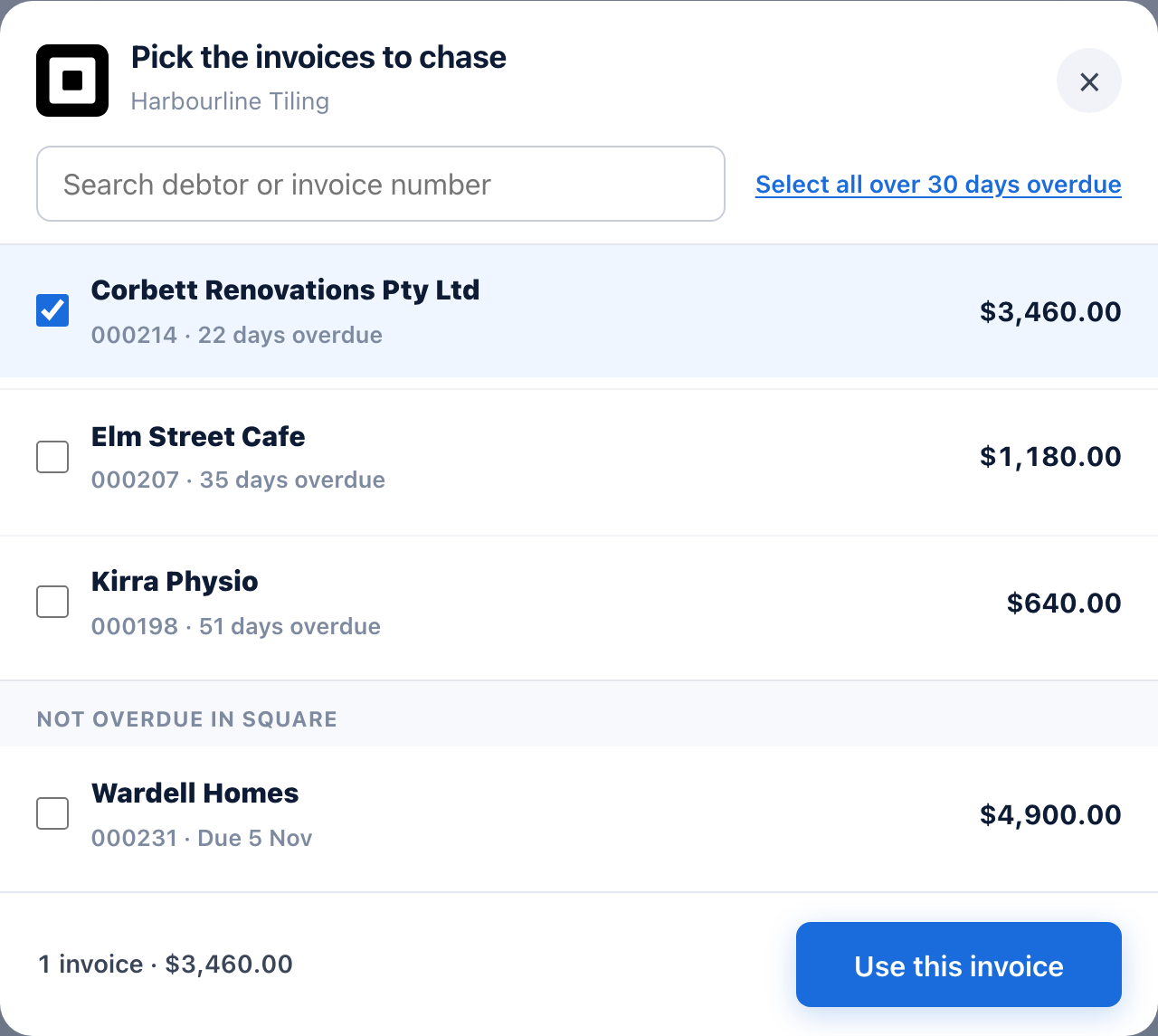
- Pick the invoices. Every invoice with something still owing is listed, from every location, with the customer, the days overdue and what's left after any part payments.
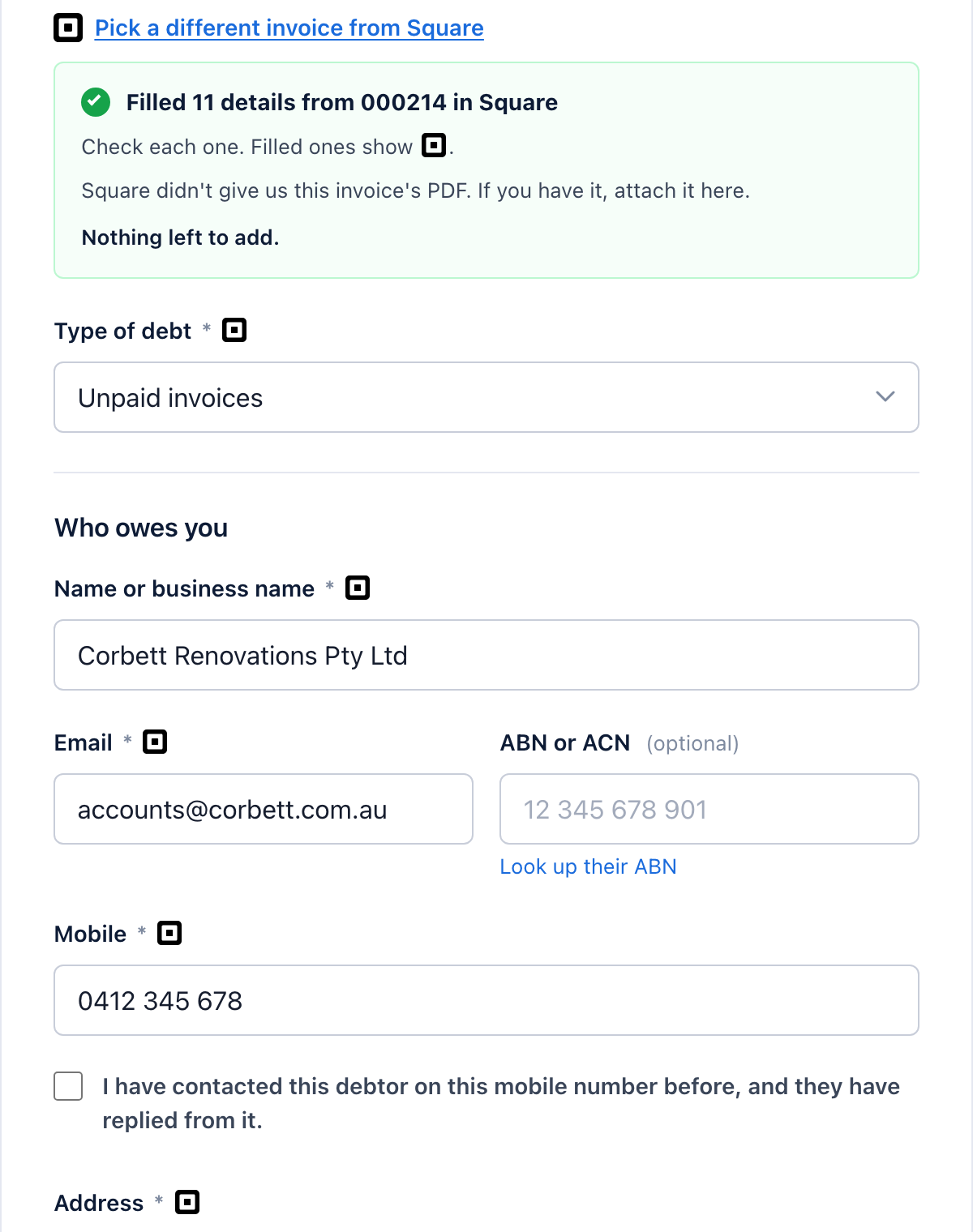
- Check the letter. Your customer, what's owing, the invoice number and the due date are filled in. Add your bank details once, because Square doesn't share them, and attach the invoice PDF if you'd like it sent too.
- Pay and send. $29 per letter. It goes to your customer today.
- We watch the invoice. When it's paid in Square, the follow-ups stop and we ask you to confirm.
What do we read from Square?
| What we read | What it's for |
|---|---|
| Invoices | What's still owing, the invoice number and the dates, from every location |
| Customers | Your customer's name, company, email, mobile and address |
| Business profile | Your business name, and your main location's address |
| Payments | What's been paid on each invoice, so the letter asks only for what's left and the follow-ups stop |
Read only. We can't create, change or delete anything in Square, and we can't take or move money. We keep only the invoices you send letters for, and we never use your Square data to train AI. Sydney Collect is made by Aus Paid Pty Ltd, not by Square. Our privacy policy says how we look after it.
Which customers can you send to?
Customers in NSW, Victoria, Queensland and the ACT. You can be anywhere in Australia: what matters is where your customer is. Invoices to customers in WA, SA, Tasmania or the NT still show in the list, marked as ones we can't send, because we aren't licensed to collect debts there. Our free letter of demand generator lets you send one yourself.
What if I have more than one location?
Every location's invoices are listed together, so one connection covers the whole business.
How do I disconnect?
Open your dashboard, go to Account, and press Disconnect beside your Square business. That ends our access at Square too. Letters already sent carry on, but we won't see payments in Square any more.